Electronic filing has become the standard method for submitting court documents at San Diego Superior Court, and for good reason. When done correctly, it is faster, more reliable, and easier to track than physical delivery. But the process has specific requirements, and a rejected filing can cost you time and create compliance problems for an active case.
This guide walks through exactly how e-filing works at San Diego Superior Court, what to prepare, what to avoid, and how an experienced court e-filing service in San Diego can manage the entire process on your behalf.
Ranworks Legal Support Services has provided court document filing in San Diego attorneys depend on since 2002, handling e-filing, physical delivery, and same-day filing across all divisions of San Diego Superior Court and its branch locations.
What Is E-Filing at San Diego Superior Court?
E-filing, or electronic filing, is the process of submitting court documents through an approved online portal rather than delivering physical copies to the courthouse in person. San Diego Superior Court requires attorneys and filers to use a court-approved Electronic Filing Service Provider (EFSP) to submit documents electronically.
The court does not accept direct uploads from individual computers. All e-filings must go through an approved EFSP that converts, checks, and transmits documents to the court's case management system. The EFSP then returns a court-issued transaction confirmation and eFiling receipt to the filer once the court processes the submission.
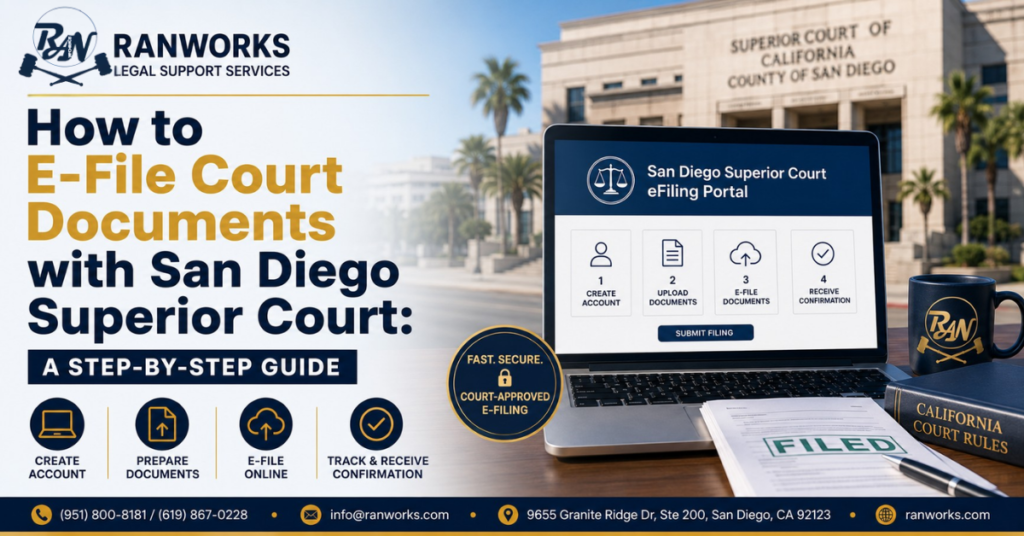
To e-file court documents with San Diego Superior Court, prepare your documents in PDF format, select a court-approved Electronic Filing Service Provider, create an account, upload your documents, pay the filing fee, and submit. The court processes most e-filings within 2 to 4 hours during business hours and returns an eFiling receipt with a transaction confirmation number upon acceptance.
Which Case Types Can Be E-Filed at San Diego Superior Court?
E-filing is available for most civil case types at San Diego Superior Court. Here is a quick reference:
| Case Type | E-Filing Available | Notes |
|---|---|---|
| Civil (unlimited and limited) | Yes | Most civil matters accepted via e-filing portal |
| Family Law | Yes | Including dissolution, custody, support filings |
| Probate | Yes | Petitions, inventories, accountings |
| Unlawful Detainer | Yes | Eviction filings handled electronically |
| Small Claims | Yes | Plaintiffs and defendants can e-file |
| Post-Judgment Matters | Yes | Wage garnishment, bank levy, and enforcement docs |
| Criminal | No (generally) | Criminal filings typically require in-person submission |
If you are unsure whether your specific document type can be e-filed, the Ranworks court filing services San Diego team can confirm availability before submission to avoid wasted time or a rejected filing.
Step by Step: How to E-File Court Documents at San Diego Superior Court
Here is the complete process for e-filing at San Diego Superior Court, from document preparation through confirmation:
Prepare your documents in PDF format. San Diego Superior Court requires text-searchable PDFs. Scanned images converted to PDF without OCR processing are frequently rejected. Each document should be a separate PDF file unless the court requires them combined.
Confirm you are using a court-approved EFSP. San Diego Superior Court maintains a list of approved Electronic Filing Service Providers on its website. Only filings submitted through approved providers are accepted by the court's system.
Create an account with your selected EFSP if you do not already have one. You will need to provide basic contact and billing information. Some providers charge a registration fee; others do not.
Enter the case information accurately. This includes the case number, case title, court division, and document type. Errors in case information are one of the most common causes of rejection.
Upload your PDF documents through the EFSP portal. Confirm that each document is correctly labeled by type, such as summons, complaint, motion, or proof of service.
Review the filing fee. Court fees vary by case type, document type, and relief requested. The EFSP should display the applicable fee before you confirm submission.
Pay the filing fee through the EFSP. Most providers accept major credit cards and law firm accounts. Ranworks pays filing fees on your behalf and includes the total in the invoice returned to your office.
Submit the filing and note the submission timestamp. The time of submission is legally significant for deadline purposes, not the time the court processes the filing.
Wait for the court-issued eFiling receipt. San Diego Superior Court typically processes e-filings within 2 to 4 hours during court business hours. The receipt includes the court's transaction ID and confirmation of acceptance.
Retain the eFiling receipt and transaction confirmation for your records. Ranworks returns all filing receipts, transaction IDs, and rejection notices to the attorney or client immediately upon receipt from the court.
Common E-Filing Rejections and How to Avoid Them
Rejections delay your case and can create compliance problems if a deadline passes while the filing is being corrected. Here are the most common reasons San Diego Superior Court rejects e-filings and how to prevent each one:
Non-Searchable PDF
The court requires text-searchable PDFs. A scanned document saved as a PDF without optical character recognition applied will be rejected. Always use a PDF creator that produces searchable text, or run OCR processing before uploading.
Incorrect Case Number or Division
Case numbers must match the court's records exactly. A transposed digit or an incorrect division code causes an immediate rejection. Double-check the case number from the court's online case management system before submitting.
Missing or Incorrect Filing Fee
Submitting without the correct filing fee, or submitting without any fee when one is required, results in rejection. Confirm the applicable fee for your specific document type before submission, since fees vary by case type and document category.
Wrong Document Format or Combination
Some document types must be submitted separately. Combining documents that the court requires as individual files, or splitting documents that the court requires combined, causes processing errors. Confirm document requirements for your case type before uploading.
Filing Outside Court Hours
E-filings submitted outside court business hours are timestamped for the submission time but may not be processed until the next business day. This matters for deadline filings. If a same-day filing deadline applies, submit as early in the business day as possible.
Important: A rejected e-filing does not protect you from a missed deadline. The rejection must be corrected and resubmitted before the deadline passes. If a deadline is close, contact Ranworks for same-day court document filing San Diego support to ensure the submission is completed correctly and on time.
E-Filing vs Physical Delivery: Which Does Your Case Need?
Most routine filings at San Diego Superior Court can and should be submitted electronically. However, physical delivery remains the right option in certain situations.
| Feature | E-Filing | Physical Delivery |
|---|---|---|
| Turnaround | 2 to 4 hours during court hours | Same day if submitted before cutoff |
| Confirmation | Court issued eFiling receipt and transaction ID | Filed-stamped copy with photo documentation |
| Location Required | No, fully remote | In-person delivery to courthouse |
| Best For | Routine filings, deadlines same day | When court rejects e-filing or requires originals |
| Cost (Ranworks) | $22.95 plus court fees | Quoted per hour, transparent rates |
| Available at Ranworks | Yes | Yes |
Ranworks provides both e-filing service in San Diego Superior Court attorneys use for electronic submissions and same-day physical delivery to the courthouse when the situation requires an in-person filing.
What Confirmation You Should Receive After E-Filing
A completed e-filing at San Diego Superior Court should produce the following documentation. If any of these are missing, follow up with the EFSP immediately.
- Court-issued eFiling receipt with the submission date and time
- Transaction confirmation number from the court's case management system
- Electronic or conformed copy of the filed document where applicable
- Rejection notice with reason code if the filing was not accepted
Ranworks retains all filing receipts, court-issued transaction IDs, and rejection notices for every submission, and returns copies to the client immediately so there is always a complete record without the need to contact the courthouse.
How Ranworks Handles Court Document Filing San Diego Attorneys Rely On
Many attorneys and law firms in San Diego outsource their legal document filing service needs to Ranworks rather than managing e-filing logistics in house. Here is what that looks like in practice:
- You email your documents to documents@ranworks.com or submit through the intake form
- Ranworks converts documents to court-compliant PDF format if needed
- We submit through the approved EFSP portal and pay the filing fee on your behalf
- E-filing is completed within 2 to 4 hours during court business hours
- You receive the court-issued eFiling receipt and transaction confirmation as soon as the court returns it
- Physical delivery to the courthouse is available same day when called in before the daily cutoff
- All Proof of Service documents from Ranworks process serving assignments can be e-filed immediately after service is confirmed, so one vendor handles everything end to end
Court filing services San Diego cost at Ranworks: E-filing is $22.95 plus applicable court fees. Physical delivery is quoted per hour with transparent rates confirmed before the assignment begins. No hidden charges.
Need court document filing in San Diego handled today? Visit our court filing services San Diego page for full details on what we handle and how to submit, or call 888-636-0293 to place an urgent filing request.
Frequently Asked Questions (FAQs)
To e-file documents with San Diego Superior Court, prepare your documents as text-searchable PDFs, select a court-approved Electronic Filing Service Provider, upload your documents with accurate case information, pay the applicable filing fee, and submit. The court processes most e-filings within 2 to 4 hours during business hours and returns an eFiling receipt with a transaction confirmation number upon acceptance. Ranworks handles the entire e-filing process on behalf of attorneys and individuals for a flat fee of $22.95 plus court fees.
San Diego Superior Court requires documents to be submitted as text-searchable PDFs. Scanned documents saved as image-only PDFs without optical character recognition processing are frequently rejected. Each document should typically be a separate PDF file. Documents that are not text-searchable, are improperly named, or do not meet the court's formatting requirements are among the most common causes of e-filing rejection.
Most e-filings at San Diego Superior Court are processed within 2 to 4 hours during court business hours. The submission timestamp from the EFSP is the legally significant time for deadline purposes, not the processing time. Filings submitted outside business hours are timestamped at submission but processed on the next business day. Ranworks returns the court-issued eFiling receipt and transaction confirmation to the client as soon as the court accepts the filing.
If an e-filing is rejected, the court or EFSP returns a rejection notice that identifies the specific reason for rejection. Common reasons include non-searchable PDF format, incorrect case number, missing or incorrect filing fee, or an improperly combined document. The filing must be corrected and resubmitted before the applicable deadline, since a rejection does not pause or extend a filing deadline. Ranworks monitors all submissions and notifies clients immediately of any rejection so corrections can be made without delay.
Yes. Ranworks operates as a legal document filing service in San Diego that submits e-filings on behalf of attorneys, law firms, paralegals, and individuals. We manage the entire process, including document preparation, EFSP submission, fee payment, and returning the court-issued confirmation. Attorneys who outsource their court document filing San Diego needs to Ranworks can submit filing instructions by email or phone and receive the eFiling receipt without managing the EFSP portal directly.
Ranworks handles court e-filing service San Diego Superior Court attorneys submit across civil, family law, probate, unlawful detainer, small claims, and post-judgment matters including wage garnishment and judgment enforcement filings. If your specific case type or document is not listed on the court filing services San Diego page, contact the team at 888-636-0293 to confirm availability before submitting. Physical delivery to the courthouse is also available for filings that cannot be submitted electronically.